
🗺️ Complete Map of Hurghada 2026 – Areas, Beaches, Roads & Hotels
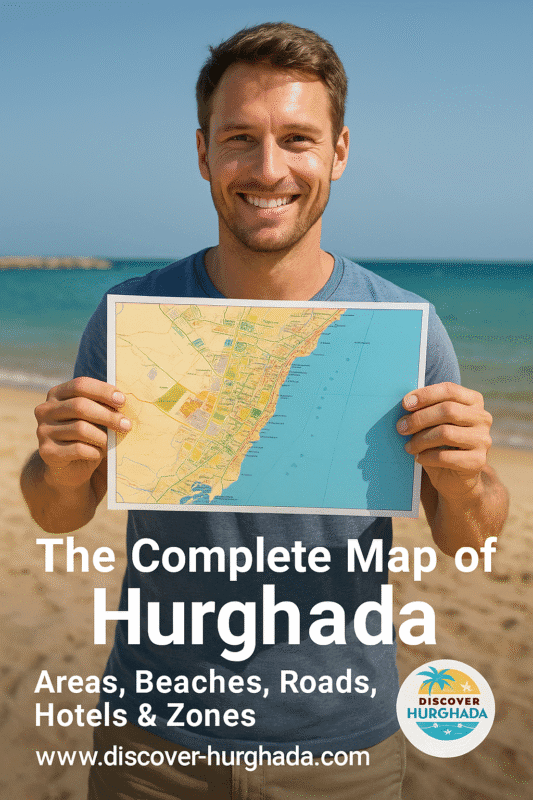
Planning your trip and feel lost on the Hurghada map? This guide explains every main area, hotel zone, beach strip and road – so you know exactly where you are booking and what is around you before you arrive.

Overview map of Hurghada 2026 – from the old town and marina to El Gouna, Sahl Hasheesh, Makadi Bay and Soma Bay.
1. How the Hurghada Map is Laid Out
Hurghada stretches for more than 40 km along the Red Sea coast. Instead of one compact centre, the Hurghada map is a long strip of neighbourhoods, hotel zones and beaches running north–south. That is why distance on the map matters more than it looks – ten kilometres in Hurghada can completely change the vibe of your holiday.
To make it easy, we divide the map of Hurghada into four big sections:
- North Hurghada: Al Ahyaa, El Gouna and the northern coastal road.
- Central Hurghada: Dahar (old town), El-Sakkala, Sheraton Road, the Marina and Arabia area.
- South Hurghada: Village Road, Magawish, airport surroundings and Sahl Hasheesh road.
- Southern Resorts: Sahl Hasheesh, Makadi Bay, Soma Bay and Safaga.
For a deeper city overview, you can combine this Hurghada map with our detailed
Hurghada Mega Travel Guide
and the neighbourhood articles like
Best Areas to Stay in Hurghada
and
Hurghada A–Z Guide.
2. Central Hurghada on the Map – Dahar, Sakkala & Sheraton Road
When people say “city centre” on the Hurghada map, they usually mean the stretch between the old Dahar district in the north and the New Marina in the south. This is where you find local life, bus stations, shopping streets, cafés and many small city hotels.
Dahar (Old Town)
Dahar sits slightly inland on the map and is the oldest part of Hurghada. It has a big fruit and vegetable market, local shops and budget guesthouses. From Dahar you need a short taxi ride to reach public beaches or the Marina.
El-Sakkala & Sheraton Road
South of Dahar, the map shows El-Sakkala and the famous Sheraton Road – Hurghada’s original tourist strip. Here you get a mix of older seafront hotels, bars, supermarkets, pharmacies and many excursion offices. It is one of the best areas if you want nightlife and city energy.
Hurghada Marina & Arabia Area
On the sea side of the map you will see the Hurghada Marina – a modern promenade with restaurants, yacht trips and evening walks. Just north of it is the Arabia area with large all-inclusive hotels facing Giftun Island. Use our
Hurghada Nightlife Guide
to match the map with real places to go out.
3. Resort & Hotel Zones on the Hurghada Map
Most holidaymakers spend their time in resort zones outside the busy centre. On the map of Hurghada these areas look far from each other, but all are connected by the coastal road and hotel shuttle buses.
North: Al Ahyaa & El Gouna
Al Ahyaa is a developing strip north of Hurghada with residential projects and a few beach resorts. Further north you reach
El Gouna,
a lagoon town with marinas, golf, kite-surfing and upscale hotels. On the map, El Gouna feels like a separate small city.
South-Central: Village Road & Magawish
The long Village Road (also called Touristic Promenade) is full of resort hotels, cafés and shopping malls. It starts close to the airport and continues past the Magawish and Esplanada areas. If you want a mix of beach and evening walks without being in the old town, this zone is perfect.
Check our
Where to Stay in Hurghada
guide to see which hotels sit along this part of the map.
South: Sahl Hasheesh, Makadi Bay & Soma Bay
Driving further down the coastal road, the map shows a chain of self-contained resort communities:
- Sahl Hasheesh – romantic bay with long promenade and luxury hotels.
- Makadi Bay – family-friendly resort strip with many all-inclusive hotels and waterparks.
- Soma Bay – exclusive peninsula with golf, kitesurfing and clear-water beaches.
- Safaga – quieter town famous for diving and therapeutic black sand.
4. Main Roads & Distances on the Hurghada Map
Understanding distances on the Hurghada map will save you time and money. The city has one main coastal road plus several internal streets linking Dahar, Sheraton Road, the Marina and Village Road.
From Hurghada Airport
- Airport → Sheraton Road / Marina: ~10–15 minutes by car.
- Airport → Village Road hotels: ~10–20 minutes.
- Airport → El Gouna (north): ~30–40 minutes.
- Airport → Sahl Hasheesh / Makadi Bay: ~30–45 minutes.
- Airport → Soma Bay / Safaga: ~50–70 minutes.
For a stress-free arrival, see our dedicated guide to
Hurghada International Airport
and book a private transfer via
Hurghada Private Transfers – Airport & City Limousine Service.
Using Google Maps in Hurghada
The digital Hurghada map on your phone is usually accurate for hotels and landmarks. Always double-check the pin of your hotel and save it offline before you travel.
You can open the general city view here:
Hurghada on Google Maps.
5. Beaches on the Hurghada Map – Where the Sand Actually Is
Not every point on the map of Hurghada has a natural sandy beach. Some areas have lagoons, coral plateaus or man-made entry points. Before you book, check how the beach really looks in your zone.
- Dahar & El-Sakkala: Mostly city coastline with marinas and older hotels. Public beaches are limited.
- Sheraton Road & Arabia: Mix of sandy hotel beaches and jetties facing Giftun Island.
- Village Road & Magawish: Long sandy strips popular with families and kite surfers.
- Sahl Hasheesh & Makadi Bay: Wide sandy bays with coral reefs accessible from the shore.
- El Gouna: Lagoons and small sandy pockets, many beaches are inside hotels and clubs.
- Soma Bay & Safaga: Natural sandy beaches and excellent entry for swimming and kitesurfing.
For photo examples and specific recommendations, check our detailed article
Best Beaches in Hurghada.
6. Where to Stay on the Hurghada Map – Choose Your Zone
Once you understand the Hurghada map, choosing a hotel becomes much easier. Here is a quick match between travel style and area:
| Travel style | Best zones on the Hurghada map |
|---|---|
| Nightlife & city energy | Sheraton Road, El-Sakkala, Marina area |
| Relaxed all-inclusive | Village Road, Magawish, Makadi Bay, Sahl Hasheesh |
| Luxury & romance | Sahl Hasheesh, El Gouna, Soma Bay |
| Kitesurfing & watersports | El Gouna, Magawish, Soma Bay |
| Budget & local life | Dahar, some areas of El-Sakkala and back streets off Sheraton Road |
For hotel examples, pros and cons of each zone and price ranges, read our in-depth guide
Where to Stay in Hurghada – Best Areas & Hotels for Every Budget.
7. Download & Save This Hurghada Map for Your Trip
Screenshot this page or save the image at the top so you always have a quick Hurghada map offline. It is especially useful for showing taxi drivers your exact area or explaining which hotel zone you want to visit.
For more practical planning, combine this map with:
FAQ – Hurghada Map & Areas
1. What is the best area on the Hurghada map for first-time visitors?
For a first trip, Sheraton Road / Marina or Village Road are usually the best choices. They offer easy access to restaurants, shops and excursions while still being central on the Hurghada map. If you prefer quieter resorts, look at Sahl Hasheesh or Makadi Bay.
2. How far is El Gouna from central Hurghada?
El Gouna lies about 25–30 km north of the city centre. On the map it looks close, but you should plan around 30–40 minutes by car depending on traffic.
3. Can I walk between different areas on the map?
Inside each zone you can walk comfortably – for example along the Marina, Sheraton Road or Village Road. But distances between big zones on the map of Hurghada are too long to walk. Use taxis, hotel shuttles or private transfers instead.
4. Which areas are closest to the airport?
Village Road, Magawish and the first part of Sheraton Road are closest to the airport on the Hurghada map. Many hotels in these zones are within 10–20 minutes by car.
5. Where are most all-inclusive resorts located?
Large all-inclusive resorts are concentrated along Village Road, Magawish, Sahl Hasheesh, Makadi Bay and Soma Bay. These areas appear as long hotel strips on the coastal side of the Hurghada map.
Plan Your Hurghada Trip With Confidence
Now that you understand the Hurghada map, you can choose the right area, book your hotel in the perfect zone and plan day trips without surprises. Keep this page saved and explore the rest of
Discover-Hurghada.com
for detailed guides, excursions and real local advice.